


Disney Frozen Royal Castle
4.2388.00 Reviews
App Specs
- Version
- 2026.2.0
- Updated On
- License
- Free
- Downloads
- 10,000,000+
- Developer
- Budge Studios
- Categories
- Simulation
- Platform
- Android
Screenshots
 Analysis by AppCompare
Before handing this game to a child, I’d think about what kind of play they’re looking for. Disney Frozen Royal Castle is best approached as a relaxed make-believe space, not as a demanding simulation with a long chain of goals. That distinction matters: a child who wants to invent scenes, change outfits, and revisit familiar characters may settle in happily, while someone expecting a fast-moving adventure could lose interest. I find it works especially well when an adult is willing to share the first few minutes and help turn the rooms into a story.
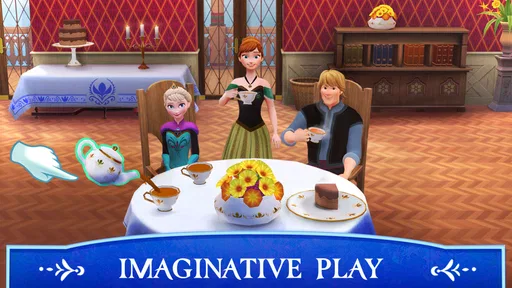
A simple after-school routine is a good fit. A child can choose a character, decide what the castle is getting ready for, and spend a short stretch moving between play ideas rather than committing to a lengthy session. I’d suggest giving them a prompt—perhaps preparing for a royal visit or choosing clothes for a snowy day—then letting them take the story in their own direction. That little nudge can make open-ended play feel inviting without turning it into a set of instructions.
Choosing the right kind of play
Compared with many simulation games built around resource collection, schedules, or carefully managed progress, this one leans more toward imaginative role-play. That is a real strength for younger Frozen fans, because there is less pressure to optimise and more room to decide what happens next. It is also a trade-off: players who enjoy building systems, making strategic choices, or steadily mastering difficult challenges may find the experience too gentle.
I’d also choose it over a more competitive game when the aim is a calm shared activity. A parent can ask a child why they picked a particular outfit or where a character should go, turning the screen time into conversation. On the other hand, if the child wants a game that tests timing or offers a clear sense of accomplishment through increasingly difficult stages, a focused puzzle or action game will likely hold their attention better.
Making a short session feel satisfying
For a more rewarding first visit, I would avoid trying to inspect everything at once. Let the child choose one room or one character and build a small scene around that choice. Returning later to change a detail gives the play a natural stopping point and helps prevent aimless tapping. This is a useful approach for younger players who enjoy pretend play but can become overwhelmed when a screen presents too many possible things to try.
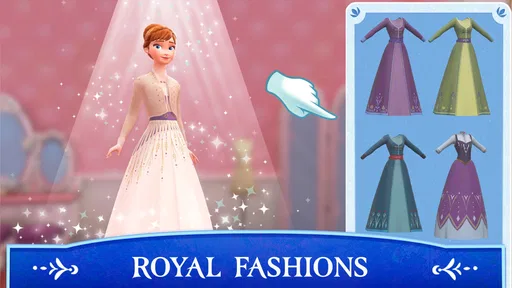
The dress-up and room-personalisation ideas also lend themselves to side-by-side play. One person can choose a character’s look while another suggests a setting or occasion, then you can swap roles. It keeps the focus on making choices rather than rushing through content. I would not treat the game as an art or design tool, though; its appeal is casual character play, not precise creative work.
What to consider before downloading
The game is free, and its age rating is Everyone, which makes it an approachable option to consider for family play. It has an average rating of 4.1 from around 35 thousand ratings, and has been installed over 10 million times. Those figures suggest that many players have tried it, but they do not tell me whether a particular child will enjoy its slower, imaginative style. I would use the first session to see whether they naturally invent scenes or quickly ask for a more structured challenge.
Worth Reading Before You Choose

EA SPORTS FC Mobile 26 Is a Bigger Football Game, but It Takes Time

Flipboard Shows What News Apps Must Do Beyond the Feed

Switching to Android Auto Means Rethinking Your Driving Routine

Google Calendar Makes a Crowded Week Easier to Manage

Ludo King Makes the Most of the Minutes Between Plans

Baby Panda World Brings Quick Play to Modern Phones, but Its Game Library Feels Busy
There are in-app purchases, priced at $9.99 per item, so I would check the purchase settings on the device before letting a child play independently. The game’s free entry point is appealing, but the presence of paid items is worth discussing with children who might tap through menus without understanding that a purchase can cost money. A simple rule—ask an adult before confirming anything—makes the boundary clear without interrupting the play itself.
Budge Studios developed the game, which is currently at version 2026.1.0 and requires Android 5.1 or later on Android devices. It was released on June 10, 2024. I’d check that an older device meets the minimum requirement before planning a trip or a quiet-time activity around it; compatibility is more useful to settle at home than when a child is already expecting to play.
Sound and pacing are part of the mood, but I would keep expectations grounded: the central draw is the Frozen setting and the freedom to explore it, rather than a demanding soundtrack-driven challenge. That makes it easier to dip in briefly, although players seeking a strong musical or narrative progression may prefer a game designed around those elements. In practice, the best fit is a child who enjoys familiar characters and leisurely pretend play, with an adult nearby for the first run and for purchase boundaries.
Let me tell you about a trip I recently took, not to a far-off destination, but right on my phone with the Disney Frozen Royal Castle app. If you're someone who loves diving into magical worlds, this app might just be your next favorite escape. Here's what I found when I ventured into the heart of Arendelle.
First Impressions
Opening up the Disney Frozen Royal Castle app felt like stepping straight into the movie. The graphics are stunning, with vibrant colors and intricate details that really bring the world of Elsa and Anna to life. I couldn't help but be impressed by the design and how true it stayed to the original films. This app is all about exploration and creativity, and it certainly sets the stage for a magical experience.
Exploring Arendelle
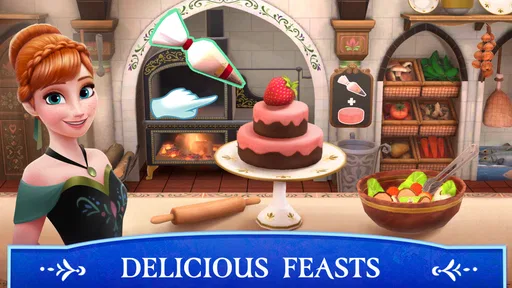
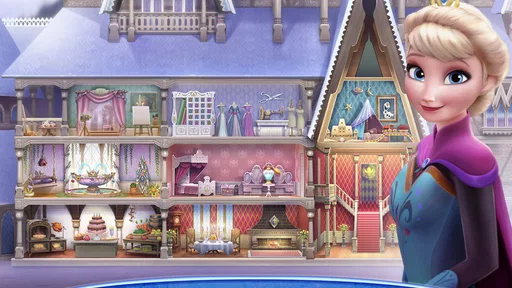
The first thing that caught my eye was the sheer number of activities available. You can wander through the castle, visit Elsa’s ice palace, and even explore the enchanted forest. Each location is filled with interactive elements. For instance, tapping on certain objects can trigger animations or reveal hidden secrets. It's like a treasure hunt that keeps you engaged as you explore different parts of the realm.
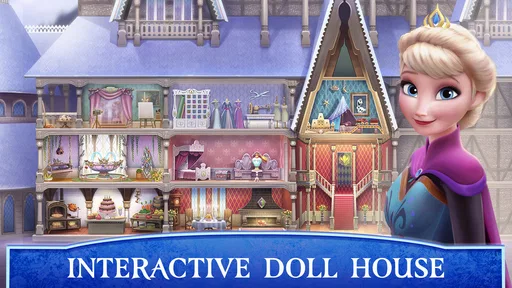
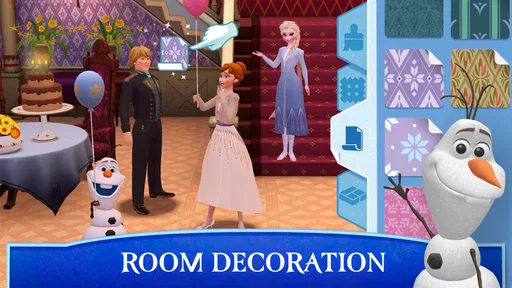
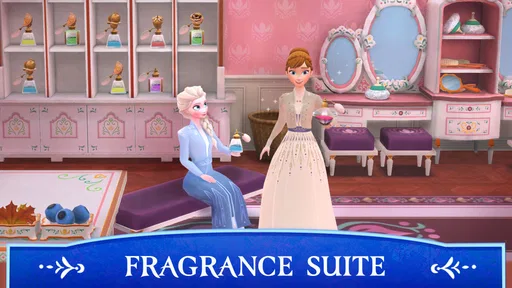
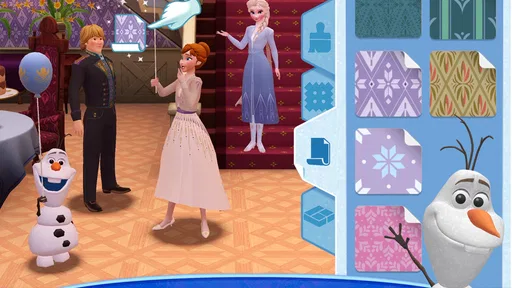
What I loved was the freedom to explore at my own pace. There’s no rush to complete tasks, so you can take your time soaking in the details. This is perfect for those moments when you want to unwind and indulge in a bit of fantasy. The app encourages creativity, allowing players to decorate rooms and create their own versions of the royal castle.
Mini-Games and Activities
Beyond just exploring, the app offers a variety of mini-games that are both fun and challenging. Whether you’re helping Olaf find his missing carrots or assisting Anna in a snowball fight, each game is designed to entertain while also being easy enough for younger players to enjoy.
The games are quick and perfect for short bursts of play, which is great for keeping kids entertained without them getting bored. Plus, as you complete activities, you earn rewards that you can use to unlock new outfits and items, adding a layer of motivation to keep playing.
Customization and Creativity
One of the app’s standout features is its emphasis on customization. You can personalize your own castle with a variety of decorations. From furniture to color schemes, the choices are plentiful, enabling you to create a unique space that reflects your personal style.
Adding to the creative fun is the ability to dress up your favorite characters. With a plethora of outfits to choose from, you can style Elsa, Anna, and their friends in different costumes, which adds a playful touch to the experience.
Family-Friendly Fun
What really makes this app a win in my book is its family-friendly nature. It's designed with kids in mind but is enjoyable for adults as well. The controls are intuitive, making it easy for younger players to navigate. There are no hidden surprises, and the content is suitable for a wide age range, making it a great option for family playtime.
The app also operates smoothly without any noticeable glitches, which is a huge plus. It’s clear that a lot of thought went into ensuring that the app runs well across different devices, providing a seamless experience.
A Few Final Thoughts
All in all, Disney Frozen Royal Castle offers a delightful escape into the world of Arendelle. It's a beautifully designed app that combines exploration, creativity, and fun mini-games. Whether you're a fan of the Frozen movies or just looking for a new app to explore, this one is definitely worth checking out.
If you're ready to embark on your own magical journey, you can download the app from the official app store for both Android and iOS. Trust me, it's a trip you won't want to miss!
Pros
- Stunning graphics bring the Frozen world to life.
- Intuitive controls easy for all ages.
- Engaging story keeps players entertained.
- Features beloved characters from the movie.
- Regular updates with new challenges.
Cons
- In-app purchases can be frequent.
- Some levels may be too complex for kids.
- Requires a stable internet connection.
- Occasional lag on older devices.
- Limited customization options for avatars.
FAQs for Disney Frozen Royal Castle
What is Disney Frozen Royal Castle about?
Disney Frozen Royal Castle is an interactive app that allows users to explore the magical world of Arendelle. Players can engage with beloved characters like Elsa, Anna, and Olaf while completing various quests and activities. The app offers a richly detailed environment that fans of the Frozen series will enjoy, making it perfect for kids and fans alike.
Is Disney Frozen Royal Castle suitable for all ages?
Disney Frozen Royal Castle is designed to be family-friendly and is suitable for children aged 4 and up. The app features engaging activities and interactive storytelling that can be enjoyed by younger audiences. However, parental guidance is advised for children under 4, as they may need help navigating the app’s features.
Does the app require an internet connection to play?
Disney Frozen Royal Castle can be played offline after the initial download. However, certain features, updates, or additional content may require an internet connection. To ensure the best experience and access to all app features, it's recommended to have a stable internet connection during the initial setup and for any updates.
Are there in-app purchases in Disney Frozen Royal Castle?
Yes, Disney Frozen Royal Castle includes optional in-app purchases. These purchases can enhance gameplay by unlocking additional content, characters, or special features. Parents should be aware of these options and can use parental controls to restrict or manage purchases within the app.
What devices are compatible with Disney Frozen Royal Castle?
Disney Frozen Royal Castle is available for both Android and iOS devices. It is designed to run smoothly on most smartphones and tablets that meet the app's system requirements. Checking the app store listing for specific device compatibility and system requirements is advisable before downloading.


